SAGA Challenges & Tasks
Success in network marketing isn't about working more—it's about working smarter. Learn how to use Saga's Daily Tasks & Productivity tools to follow a clear daily plan and grow consistently with daily challenges, push notifications, and automated follow-ups.
Last updated 1 day ago
🎯 Challenges
What are Challenges?
Challenges are guided action plans designed to help you take consistent daily action without overthinking what to do.
Each challenge focuses on a specific topic and gives you a clear set of tasks to complete every day.You follow the plan, complete the tasks, and build momentum step by step.
Why use a Challenge?
Challenges help you move from learning to doing.
By joining a challenge, you can:
Know exactly what to focus on each day
Avoid decision fatigue and overwhelm
Build consistency through small, repeatable actions
Turn daily effort into visible progress
Challenges are not about being perfect. They’re about showing up and moving forward.
How Challenges are organized
Each challenge shows a topic – what the challenge focuses on, and a Level – beginner, intermediate, or advanced. This helps you pick a challenge that matches your current goals and availability.
How to join a Challenge
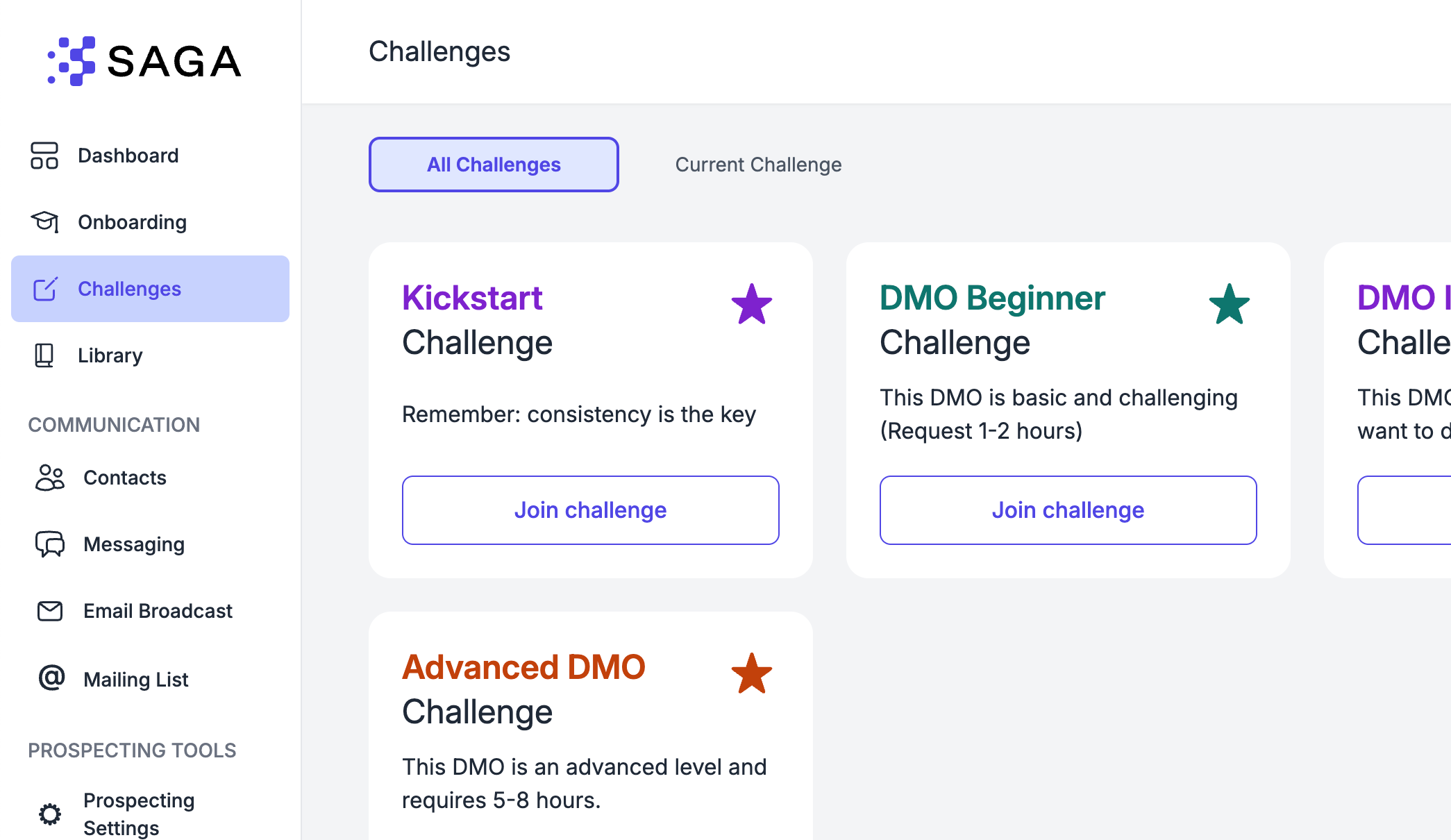
Getting started is simple:
Browse the available challenges
Select the one that fits
Click Join Challenge
Start completing the daily tasks
Daily tasks and progress
Each day, your challenge shows a list of specific tasks to complete.
When you finish a task, mark it as done. This helps you track your progress and stay motivated.
⚠️ Important Reminder
Success Through Consistency: The magic of DMO isn't in any single day's activities - it's in the compound effect of consistent daily action over time.
Start Today: Even if you can only complete one small task today, start building your DMO habit immediately.
🔴 Push Notifications
Get real-time updates when you need to take action. (Make sure you activated them to be always on the loop)
→ Learn how to turn on notifications
✅ Follow-ups & Scheduled Tasks
Schedule follow-ups, stay on top of your day, and never let a conversation fall through the cracks. Tasks are SAGA's built-in system to keep you consistent and in control.
📋 How to Schedule a Task
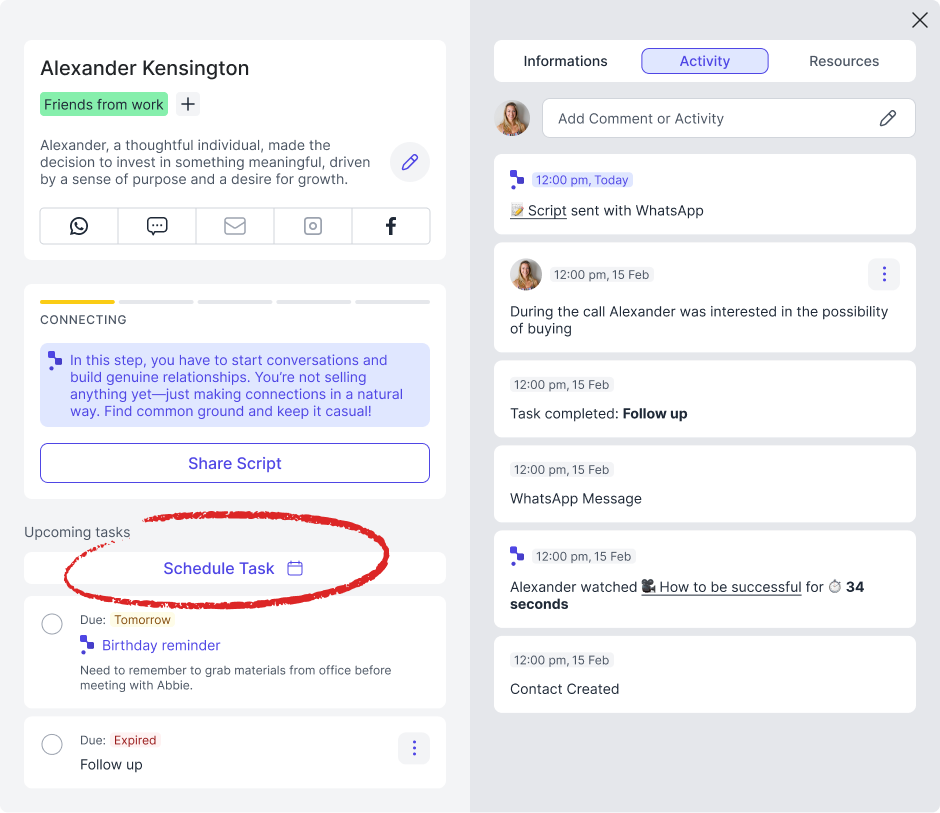
Open any contact page and click "Schedule Task". A quick form will appear where you can:
Choose the date and time
Write a note about what you need to do (call, send a message, follow up after a presentation, etc.)
Click save and the task is locked in, linked directly to that contact.
📆 Add to Google Calendar
If you have Google Calendar connected to SAGA, you'll see a checkmark option to add the task directly to your calendar. It's ticked by default, so your tasks automatically land in your calendar without any extra steps.
You can turn this on or off anytime from the task form itself.
💡 Don't have Google Calendar connected yet? Head to Settings → Personal Settings to sync it.
✏️ Managing Tasks on the Contact Page
Once a task is saved, you'll see it right on the contact page. From there you can:
Edit it if plans change
Mark it as done once you've taken action
Everything is also recorded in the Activity Log at the bottom of the contact page, so you always have a full picture of your interactions with that person.
📊 Your Tasks on the Dashboard
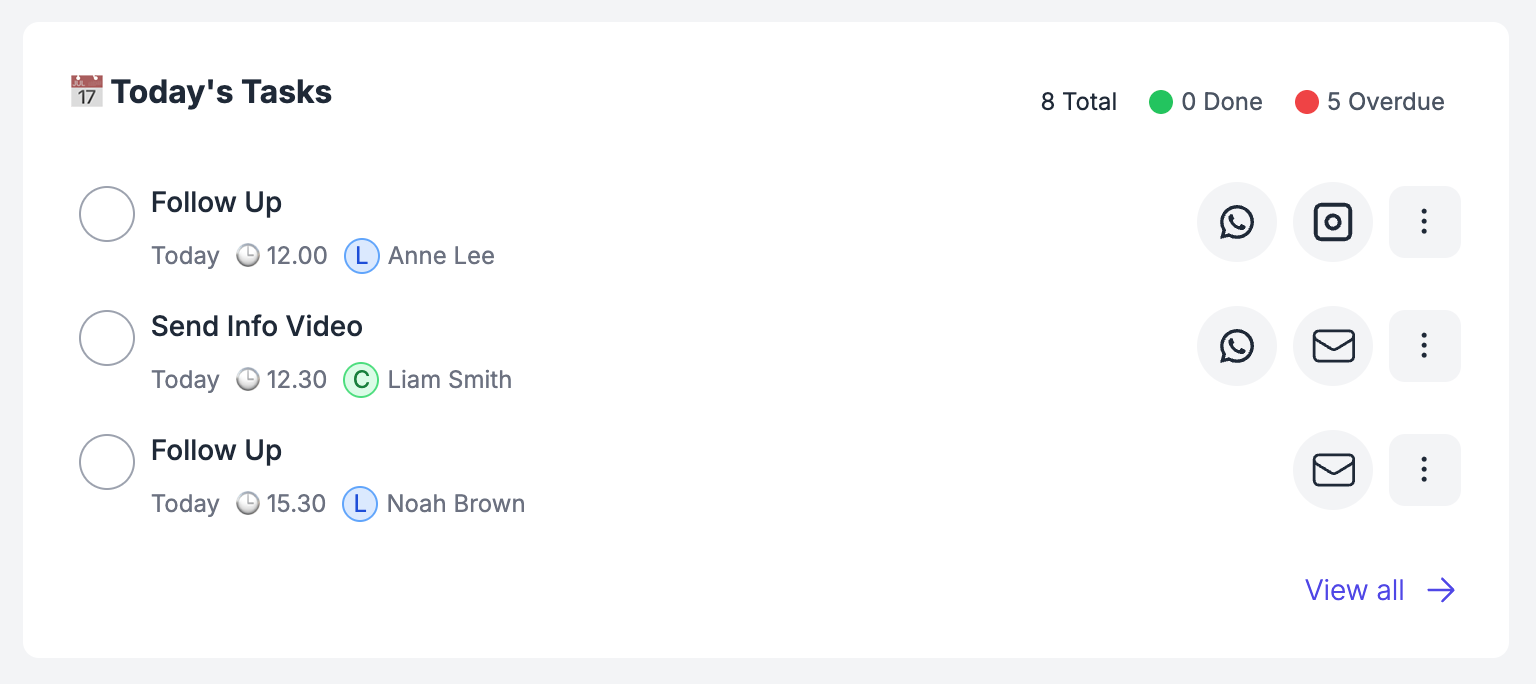
On your Dashboard, you'll find a dedicated Tasks widget showing everything due today. For each task you can see:
The contact's name (click it to open their page directly)
Their quick contact buttons (WhatsApp, Instagram, and more) so you can reach out in one tap
Mark tasks as done right from the Dashboard without having to open the contact page.
📅 The Full Tasks Page
Click "See All" on the Dashboard widget to open the full Tasks page. Here you have two tabs:
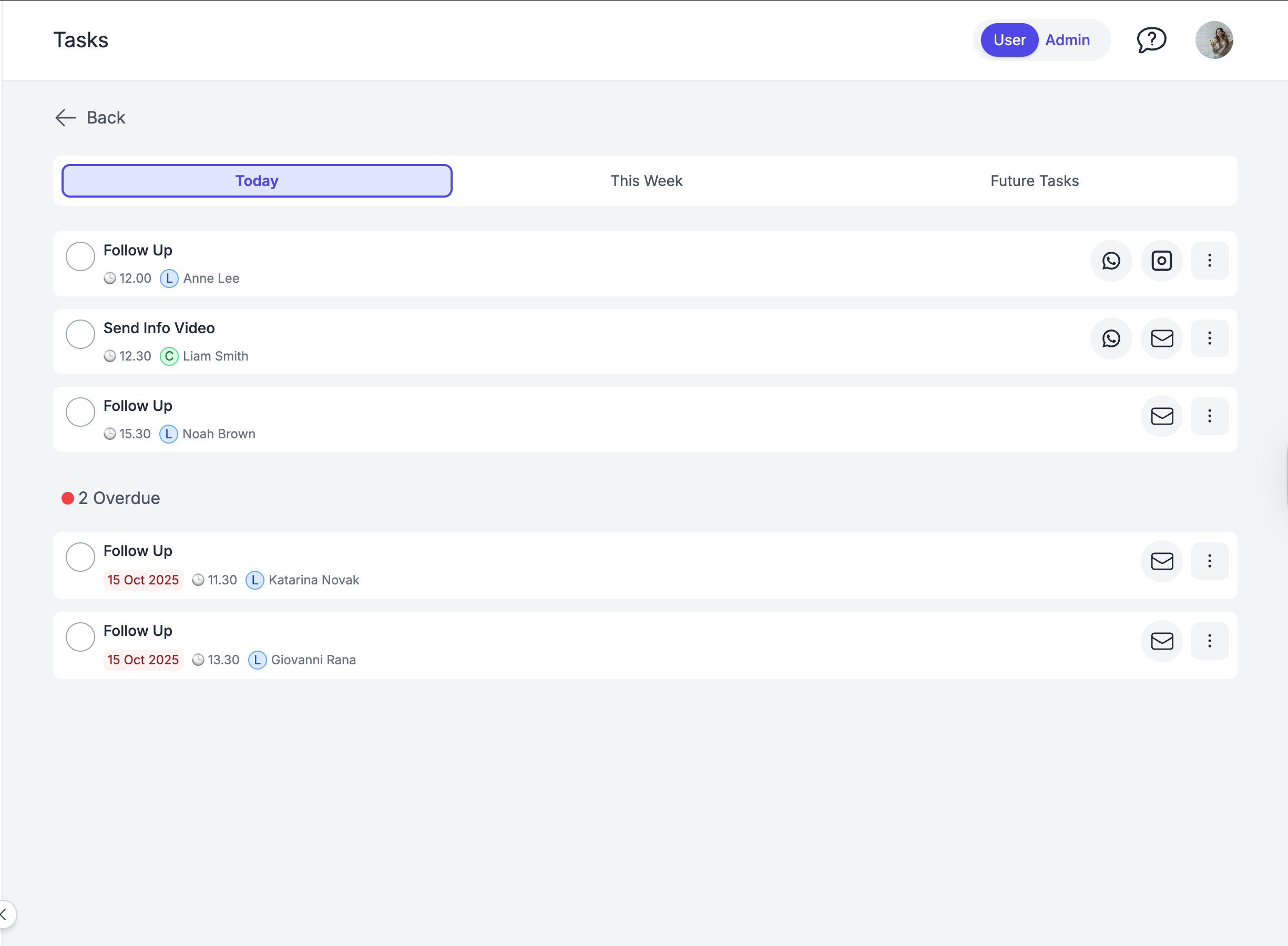
Today & Overdue
Everything that needs your attention right now. This includes any tasks from previous days that haven't been marked as done yet, so nothing gets buried.
Future Tasks
A look ahead at what's scheduled next. Use this to plan your week and know exactly who you need to reach out to before the conversations go cold.
💡 Why Tasks Matter
In network marketing, the follow-up is where the money is. Tasks make sure you always know who to contact, when, and why — without relying on memory or sticky notes.
Schedule the task, show up when it matters, grow your business. 🚀
💬 Need Help?
If you need help or have questions:
Support Centre: Need help? Start a chat with the Fibi AI Agent in your SAGA. If they can’t help, a human team member will take over.
Book a Call: Schedule a demo with our team