Forgot Your Password?
No worries — it happens to everyone! Resetting your password takes less than 2 minutes. Here's exactly what to do.
Last updated About 15 hours ago
Step 1: Go to the Login Page
Open SAGA in your browser or app and click "Log In".
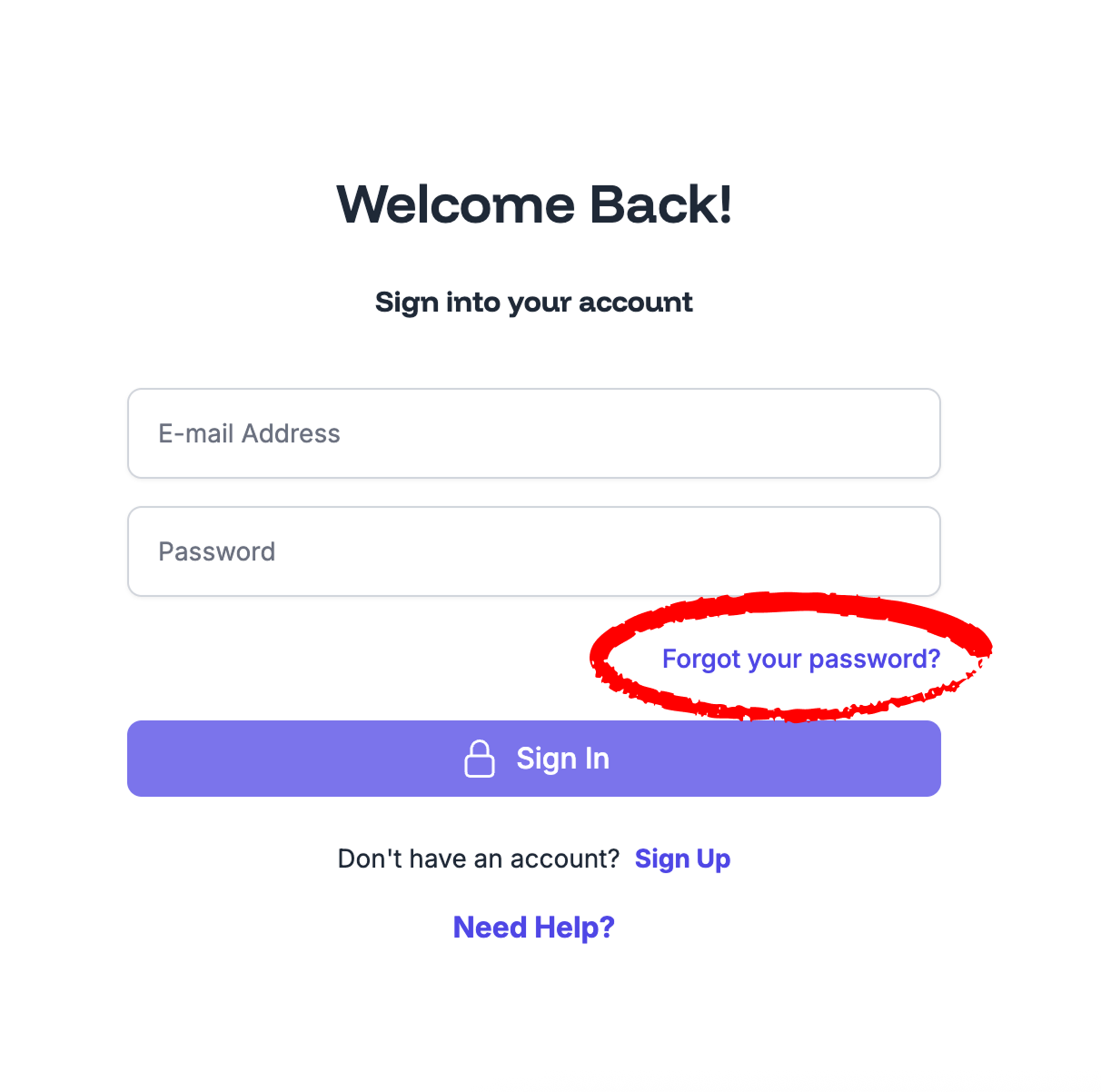
Step 2: Click "Forgot Password?"
Below the password field, tap or click the "Forgot Password?" link.
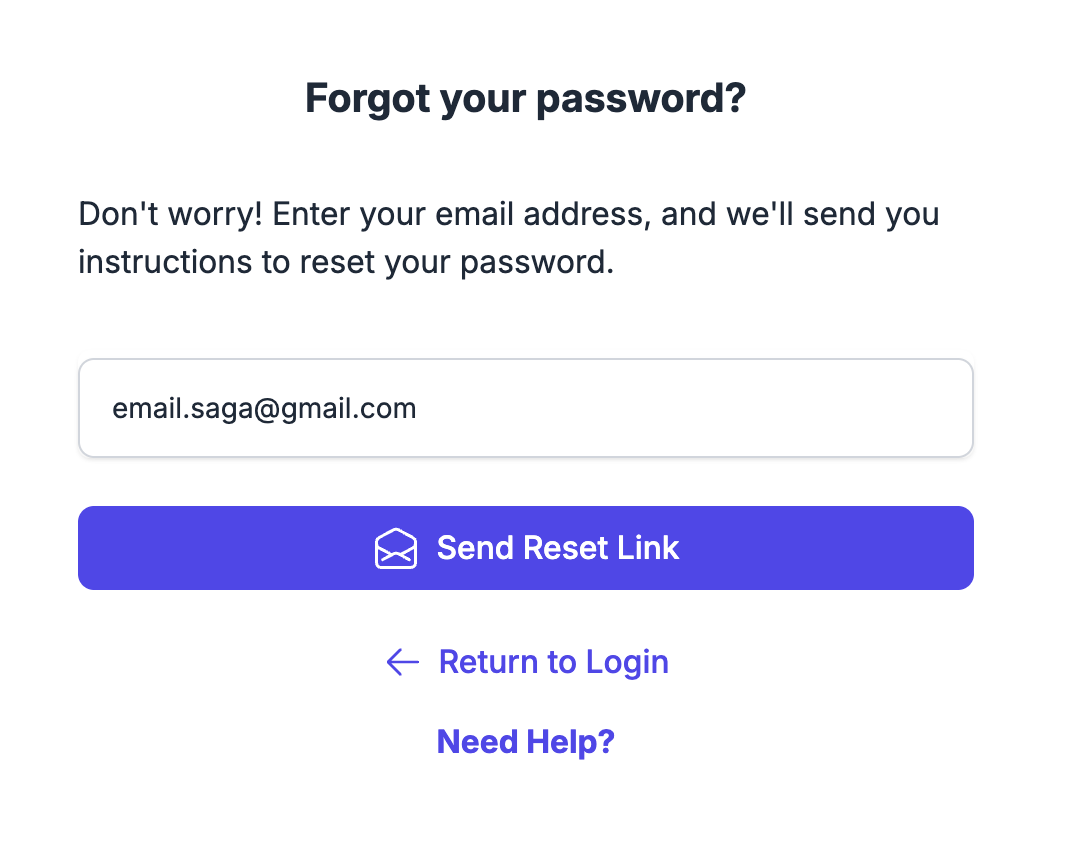
Step 3: Enter Your Email Address
Type in the email address you used when you signed up for SAGA, then click Send Reset Link.
Step 4: Check Your Inbox
You'll receive an email from SAGA with a password reset link. Click the button inside the email to be taken directly to the reset page.
⚠️ Don't see the email?
Check your Spam or Junk folder
Make sure you used the correct email address
Wait a couple of minutes — sometimes emails take a moment to arrive
Try clicking "Resend"
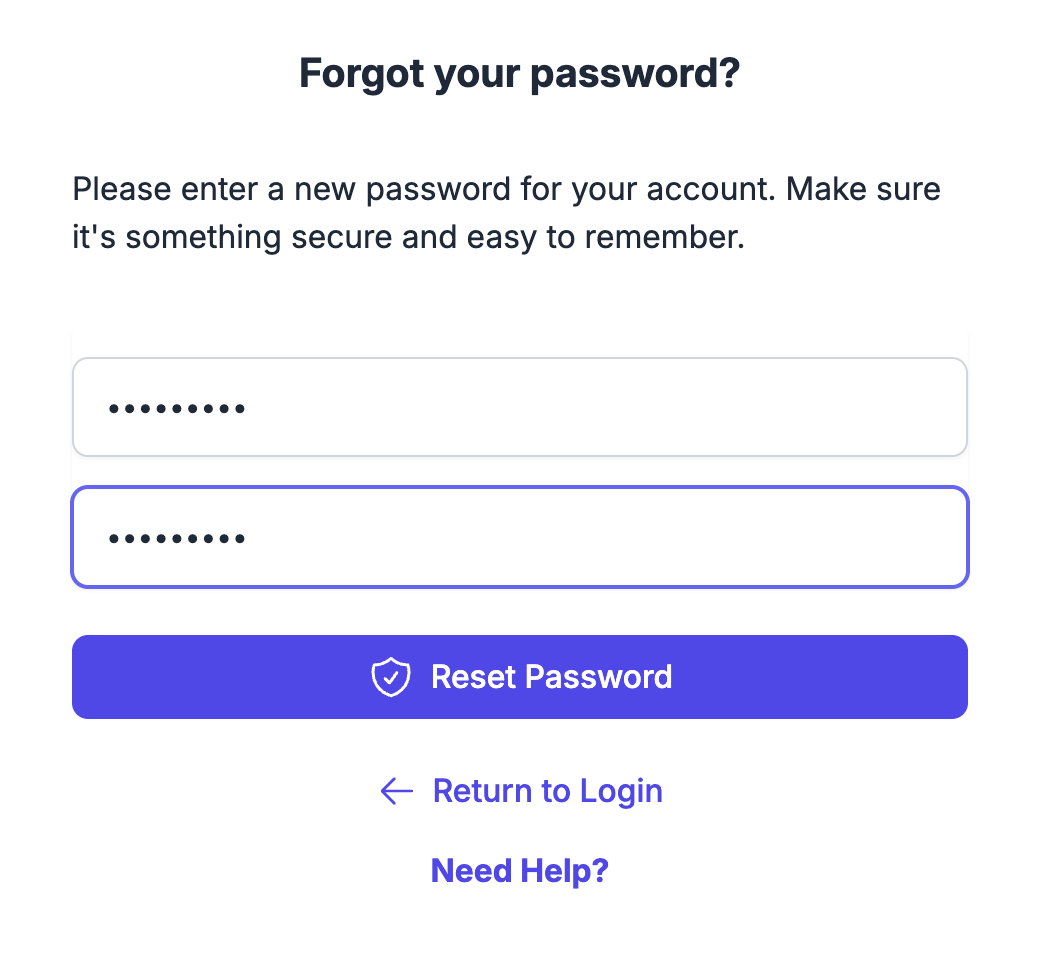
Step 5: Set Your New Password
On the reset page, enter your new password twice to confirm it, then click Save.
Once saved, you'll be taken back to the login page. Enter your email and your new password to sign in. You're back in! 🎉
💡 Tips for a Secure Password
Use at least 8 characters
Mix uppercase, lowercase, numbers, and symbols
Avoid using your name, email, or "password123"
Consider using a password manager like 1Password or Bitwarden
💬 Still Having Trouble?
If you've followed the steps above and still can't get in:
Support Chat: Start a chat with the Fibi AI Agent inside SAGA — if it can't help, a human team member will step in.
Book a Call: Schedule a session with our team →