Messaging
The Messaging page helps you stay on top of your leads by organizing follow‑ups and making communication fast and easy. It’s designed for sessions where you connect with leads, schedule follow‑ups, and track progress.
Last updated 6 days ago
What You’ll See
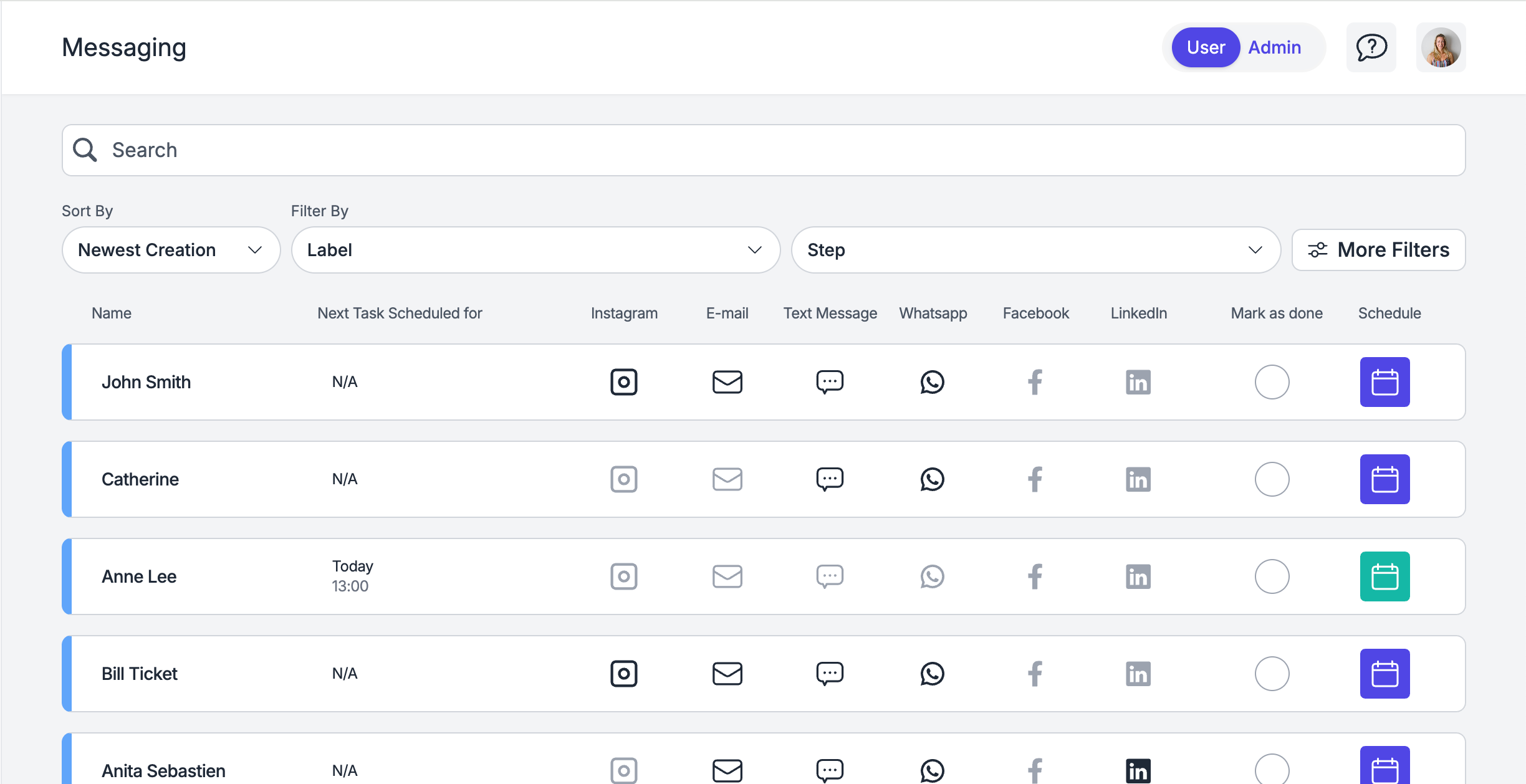
Lead ListA list of all your leads with quick‑access buttons to:
Contact them directly.
Schedule a Follow‑Up or any other task using the calendar button.
Follow‑Up Status Colors
Purple → No follow‑up scheduled yet.
Green → Follow‑up scheduled.
Red → Missed follow‑up (take action ASAP).
Marking as Done
When you’ve finished following up with a lead, you can mark them as done to keep your list organized and focus on the next lead.
💬 Need Help?
If you need help or have questions:
Support Centre: Need help? Start a chat with the Fibi AI Agent in your SAGA. If they can’t help, a human team member will take over.
Book a Call: Schedule a demo with our team